
How to Create a Surprise Page with a QR Code: Full Tutorial
The formula is simple: a personal web page holds the surprise (photos, a message, your song), and a QR code is the door. You hand someone a small printed square; they scan it; the whole thing unfolds on their phone. Total build time is about 30 minutes, and no part of it requires technical skill. Here's the entire process, start to delivered.
Step 1: Pick the page type
Match the format to the occasion, not the other way around:
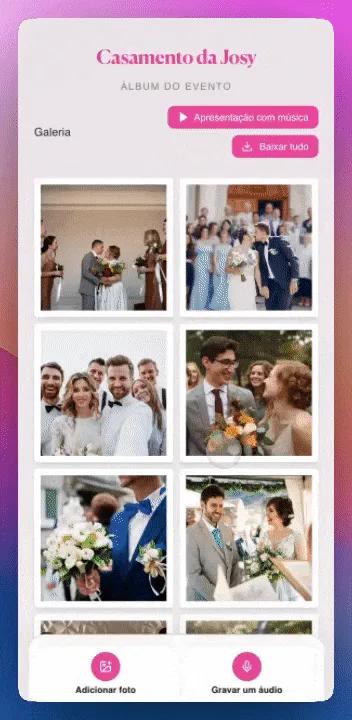
- Love or anniversary → a love page with a photo gallery, message, and a live counter of your time together.
- Birthday → a birthday page built around the celebration and the person's year.
- A playful reveal — pregnancy, trip announcement, "will you be my..." → a scratch card or slot machine format, where the interaction is the reveal.
- A future moment — open on graduation day, next New Year's → a time capsule that stays locked until the date you set.
If in doubt, the classic love/birthday page is the flexible default.
Step 2: Write the message ✍️
The page can hold more words than a card, but resist writing an essay. The structure that works:
- One hook line they'd recognize as unmistakably yours — an inside joke, a callback.
- One specific memory told in 3–4 sentences. Detail beats adjectives: not "our amazing trip," but the flat tire and the gas-station sandwiches.
- One true sentence about what they mean to you. Just one, so it lands.
- One promise or wish pointed at the future.
💡 Pro tip: Write it in a notes app first, read it out loud once, then paste. Reading aloud catches the sentences that don't sound like you.
Step 3: Choose the photos 📸
Five to ten photos beat forty. Curate for range, not volume:
- One from the very beginning (the oldest photo you have together)
- One where you're both laughing at something off-camera
- One terrible photo you both love — the blurry one, the double-chin one
- One recent, so the timeline reaches today
- One place that means something — the bench, the kitchen, the trip
Order them chronologically if the page tells a story; save the best single photo for the cover position.
Step 4: Add the music 🎵
One song. The obvious pick is correct — your song, the one from the car, the wedding, the kitchen dancing. If you don't have one yet, pick the song playing during a memory they'll recognize. The moment the page opens and the right song starts is reliably the part that gets people.
Step 5: Generate and print the QR code
The page gives you its QR code — download it big (high-resolution PNG). Then print with three rules:
- Minimum 2×2 cm for hand scanning; 3×3 cm is safer for gift tags.
- Dark code, light background, matte paper. Glossy glare breaks scans.
- Print one test copy first and scan it with two different phones before committing to nice paper.
Step 6: Deliver it creatively — 7 ideas 🎁
The scan is a tiny ceremony. Stage it:
- Inside a greeting card — handwrite two lines, let the QR carry the rest. The classic for a reason.
- The breakfast placement — taped to their mug or propped against the coffee maker, labeled "scan before coffee."
- The wallet plant — slip a card-sized QR into their wallet; it might take days to surface, which is the fun of it.
- Framed on the nightstand — a small frame holding just the code and the words "scan me." Post-surprise, the frame keeps living there.
- The treasure hunt finale — three sticky notes with clues around the house; the QR is the treasure at the end.
- Inside a balloon — they have to pop it to get the code. Dramatic, slightly chaotic, unforgettable.
- The long-distance envelope — mail just the printed QR in a nice envelope. Paper crosses borders for the price of a stamp; the gift waits online, as heavy as you built it.
Before you hand it over: the 2-minute check ✅
- Open the page on your own phone via the printed code, not the link.
- Check the music plays and the photos load on mobile data, not just Wi-Fi.
- Read the message one final time — typos love hiding in emotional paragraphs.
- If the page has a password or unlock date, confirm it works and they'll know the answer.
That's the whole craft: one page, one square of ink, one staged moment of scanning. Build the page tonight, print the test copy, and pick your delivery from the list — the look on their face when the song starts is worth the thirty minutes several times over.